


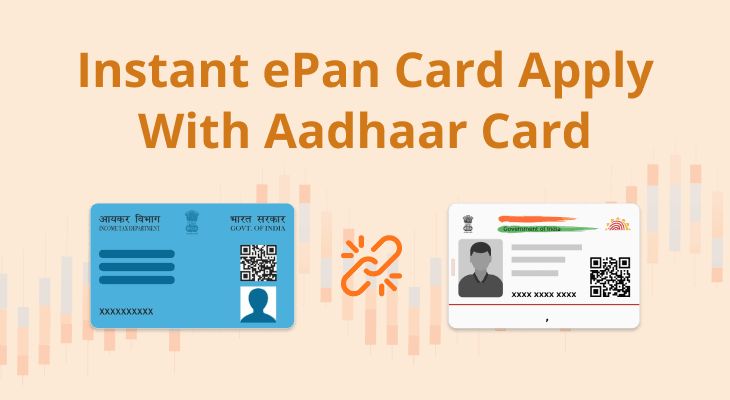
Individuals who have never been allotted a Permanent Account Number can apply for an instant e-PAN through the Income-tax Department’s e-filing portal using Aadhaar and a mobile number linked to it. The service is free and is designed to issue a digitally signed PAN in electronic form without a paper application or a visit to a PAN service centre. It is not a replacement route for people who already have a PAN and have lost the card.
The distinction is important because PAN is a unique tax identifier. A person should not apply for a second PAN simply because a physical card is missing or an old document cannot be found. The Income-tax Department’s FAQ says instant e-PAN is available only to individuals who have not previously been allotted a PAN and meet the Aadhaar and eligibility conditions. A duplicate application can create a mismatch and may lead to a separate correction or reprint process.
Who can use the instant e-PAN service
The current Income-tax Department user manual lists four main prerequisites. The applicant must be an individual who has not been allotted a PAN, must have a valid Aadhaar number and a mobile number linked to Aadhaar, must not be a minor on the date of the request and must not fall within the definition of a representative assessee under the cited tax provision. The service is not intended for a company, firm or other non-individual applicant.
The department’s FAQ says the service is free of cost and requires only a valid Aadhaar with updated KYC details and an active mobile number linked to Aadhaar. The applicant does not need to upload a scanned photograph or signature or submit physical paperwork through this route. The e-KYC process uses the details held in the Aadhaar database, so those details should be checked before beginning.
Foreign citizens cannot use the instant e-PAN Aadhaar e-KYC route described in the department’s FAQ. People whose Aadhaar details are incorrect, whose mobile number is not active or whose Aadhaar is already linked to a PAN may not be able to proceed. The service should not be treated as a way to create another PAN for someone who already has one.
How to apply for a new e-PAN
Open the official Income-tax e-filing portal and select the Instant e-PAN service on the home page. Choose the option to get a new e-PAN and enter the 12-digit Aadhaar number. Read the consent terms, confirm that the details are correct and proceed to OTP validation. The one-time password is sent to the mobile number registered with Aadhaar.
The department’s manual says the OTP remains valid for 15 minutes and the applicant has three attempts to enter the correct code. If the OTP expires, request a new one through the portal. Do not share the OTP with an agent, caller or person claiming to be from the tax department. The OTP is part of the identity verification process and should be entered only on the official service page.
After OTP validation, review the Aadhaar details displayed on the screen and accept the confirmation required to submit the request. The portal shows a success message and an acknowledgement number when the request is submitted successfully. Keep that acknowledgement number. It is the reference that helps the applicant check the status later and establish that a request was made.
Linking or validating an email address is optional during the initial e-PAN generation process in the circumstances described by the manual. However, if the email address has not been validated when the taxpayer later creates an e-filing account, the portal may require validation during registration. Applicants should therefore use an email address they can access and complete any additional verification shown by the service.
How to check status and download the e-PAN
Return to the Instant e-PAN section of the e-filing portal and choose the option to check status or download PAN. Enter the Aadhaar number and complete OTP validation using the linked mobile number. The portal displays the current status of the request. If the PAN has been generated and allotted, the applicant can use the view or download option to obtain the digitally signed document.
The same status route can be used before logging in to the e-filing portal, according to the department’s manual. Once the PAN has been allotted, the taxpayer can create an e-filing account using the e-KYC details and then download the document from the logged-in dashboard through the service for viewing or downloading e-PAN. Keep the downloaded file in a secure location and avoid sending an unmasked copy through an untrusted channel.
If the request remains pending, retain the acknowledgement and check the portal again rather than submitting repeated applications. If the status shows that the allotment request has failed, the department’s FAQ advises applying through the regular PAN application route offered by the authorised service providers. The applicant should first understand why the instant request failed, especially if the failure relates to Aadhaar authentication or an existing PAN linkage.
What if you already have a PAN or have lost the card?
A person who has already been allotted a PAN cannot use the instant e-PAN service to obtain a new number. The department’s FAQ specifically says that a person who has lost a PAN should not apply for a new one through Aadhaar. The correct route is to retrieve the existing PAN details or request a physical reprint through an authorised service provider, depending on what is required.
If Aadhaar is already linked to an existing PAN, the instant e-PAN service will display a message that the Aadhaar number is already linked. If the linkage is to an incorrect PAN, the department’s FAQ says the taxpayer should approach the jurisdictional assessing officer for the applicable delinking process before making a new request. Do not attempt to bypass the check by changing personal details or submitting another person’s Aadhaar.
If the applicant’s name, date of birth or gender in Aadhaar is wrong, the department says the Aadhaar record should be corrected first. A date-of-birth mismatch can prevent the PAN request from being completed, particularly if Aadhaar contains only the year of birth. The applicant should use the authorised UIDAI process for the correction and then retry only after the record has been updated.
Changing the mobile number linked to Aadhaar generally requires an authorised Aadhaar enrolment or update centre, according to the Income-tax Department FAQ. The instant e-PAN service cannot receive an OTP on a number that is not registered with Aadhaar. Anyone who has lost access to the old mobile number should resolve that issue through UIDAI rather than paying an intermediary who promises to bypass the verification.
Is an e-PAN valid without a physical card?
Yes. The Income-tax Department FAQ states that the e-PAN issued through the service is a valid form of PAN. It is digitally signed and can be used as the PAN document for eligible tax and financial processes that accept electronic PAN verification. A physical card is not automatically delivered as part of the instant service.
If a physical card is needed, the department’s FAQ directs applicants who already have a PAN to use the authorised reprint route or an offline PAN service agent. A reprint is different from applying for a new PAN. The number remains the same; the physical card is simply a replacement document. Before paying a service fee, verify the provider and the current terms.
Because PAN is used for banking, investments, tax returns and other financial transactions, keep the electronic document secure. Do not post the full PAN or Aadhaar number on social media or public messaging groups. Share the document only when a legitimate service requires it, and use a masked or verification-based method where the service permits one. Never disclose an OTP or e-filing password to a caller who claims to be helping with an application.
The instant e-PAN service is designed to reduce the time and paperwork involved in first-time PAN allotment, but it does not remove the need to check identity information. Applicants should confirm their eligibility, use the mobile number linked to Aadhaar, save the acknowledgement and download the document only after the portal confirms allotment. People who already have a PAN should use the retrieval or reprint process rather than create a second number.
Also read: Aadhaar Safety in India: Biometrics Lock, Updates and Verification
Frequently asked questions
Is instant e-PAN free?
Yes. The Income-tax Department’s FAQ says the instant e-PAN service is free of cost for eligible applicants who meet the Aadhaar and other prerequisites.
Can I apply for instant e-PAN if I already have a PAN but lost the card?
No. The service is only for people who have not previously been allotted a PAN. A person who has lost the card should retrieve the existing number or request a physical reprint through an authorised route.
How long is the Aadhaar OTP valid during the application?
The department’s user manual says the OTP is valid for 15 minutes and gives the applicant three attempts to enter the correct code. A new OTP can be requested if the earlier one expires.




Comments (0)
Be the first to comment. Comments are published after moderation.